Nothing happens without you
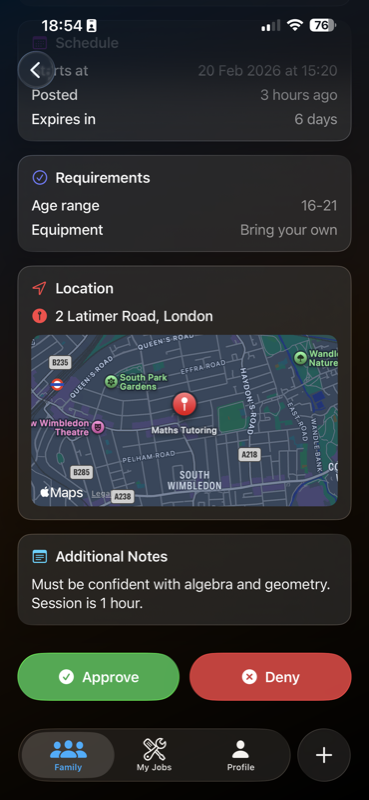
Your teen cannot apply for a job on KidsHustle until you have approved it. When they find something they want to do, the application comes to you first. If you do not approve it, it is never sent to the person who posted the job.
What you see before deciding
You get the full job detail, not a summary. That includes who posted it, the location, the pay they have offered, the description of the work, and the time window it falls in.
- The identity-verified account that posted the job
- Where the work happens, on a map
- What has been offered, and for what task
- The date and time, which must sit between 7am and 7pm
After you approve
The application goes to the job owner, who can accept or decline it. If they accept, in-app messaging opens for that job only, and you can read every message. While your teen is working, you can see their live location, and you will be alerted if they leave the area around the job.
How the money is handled
Payment is held securely until the job is marked complete, then released to a parent-linked account. Your teen is never paid in cash, and no one on the platform sees your payment details.
You can change your mind
You can remove your teen from the platform at any time, and you can decline any future job without giving a reason. If something feels wrong, report it in the app or email support@kidshustle.app.